Guide
Mac Keyboard Sound Apps: Klakk, Klack and Mechvibes Compared
Levin •
Keyboard sound app guides
Find the right app, install it on Mac or Windows, and get sound as you type.
Compare real sound samples in your browser before downloading.
Preview the sounds, see what is included, and choose how to install.
Windows 10/11, with automatic ARM64 or x64 installation.
Set up Mac permissions, choose a pack, and check the output.
Hear sound with each key press and understand what software changes.

Compare mechanical typing audio with VoiceOver positional cues and NVDA object-location tones. Check the host, output and event before buying a sound app.
Compare local TXT practice, private EPUB uploads and sound in your usual editor. Check progress storage, subscription conditions and Klakk's mechanical audio trial.
Compare keyboard firmware tones with computer audio. Check hardware support, custom-file controls and output before buying typing sounds.
Choose a full keyboard map, shortcut labels or finger guidance before buying. Compare free visualizers, Keyboard Simulator, typing lessons and Klakk's audio trial.
Choose a keyboard sound app by the payment route you can use and the license it grants. Compare Apple credit, wallet availability and Klakk's trial.
Compare aggregate input counts with key-specific playback before buying a Mac sound app. Understand Clacksmith's claims and Klakk's permission and trial scope.
Compare a free sound-app controller, an Alfred sound workflow and a standalone typing app. Check the sound engine, host license and existing purchases before paying.
Compare typing audio, shortcut-only overlays, local key history and editable recording labels before buying. Choose the information and sound you actually want.
Choose a keyboard sound library, a saved configuration or an automatic app rule. Compare Klakk's controls with CupertinoClicks' published profile offer.
Compare app balance, extra gain and output processing when keyboard sounds are too quiet. Check KeyEcho's 150% control and Klakk's trial before buying.
Choose a keyboard app's single volume setting, manual profiles or per-output levels. Check remembered headphone and speaker volume before buying.
Before buying typing sounds, distinguish a Mac app shown on an iPad from input delivered to an iPad app. Compare software, sound output and license requirements.
Compare keyboard sounds, clipboard-history notices and text-expansion cues. Check the event, stored content, trial and license before buying.
Choose input-triggered typing sounds, a fixed metronome beat or scored practice. Learn why BPM and WPM differ before paying for a sound app.
Compare a quieter key recording, individual sound gain and muting. Choose the control you need before buying another keyboard sound library.
Buying a lightweight keyboard sound app? Separate installer size, memory, CPU and energy use, with a dated Klakk packaging example and honest trial limits.
Choose a Morse-style keyboard effect, a message translator or a manual keyer. Compare what each produces before paying for a typing-sound app.
Compare typing-triggered microphone mute, meeting noise filters and pausing keyboard playback. Choose the audio control that preserves what you want people to hear.
Compare recordings with generated typing sounds without assuming a quality winner. Check sound origins, playback controls and previews before buying an app.
Choose manual pause, an app rule or timed keyboard audio. Check the scheduler, explicit on/off controls and extra purchase before choosing a Mac sound app.
Compare scroll-triggered clicks, adjustable haptic pulses and mechanical typing audio. Check Snick and Haptiroll controls, installed trials and Klakk's 14-pack preview.
Compare mechanical keyboard recordings with VS Code's free error-marker signals. Keep the feedback you need and try Klakk's 14 packs for their sound.
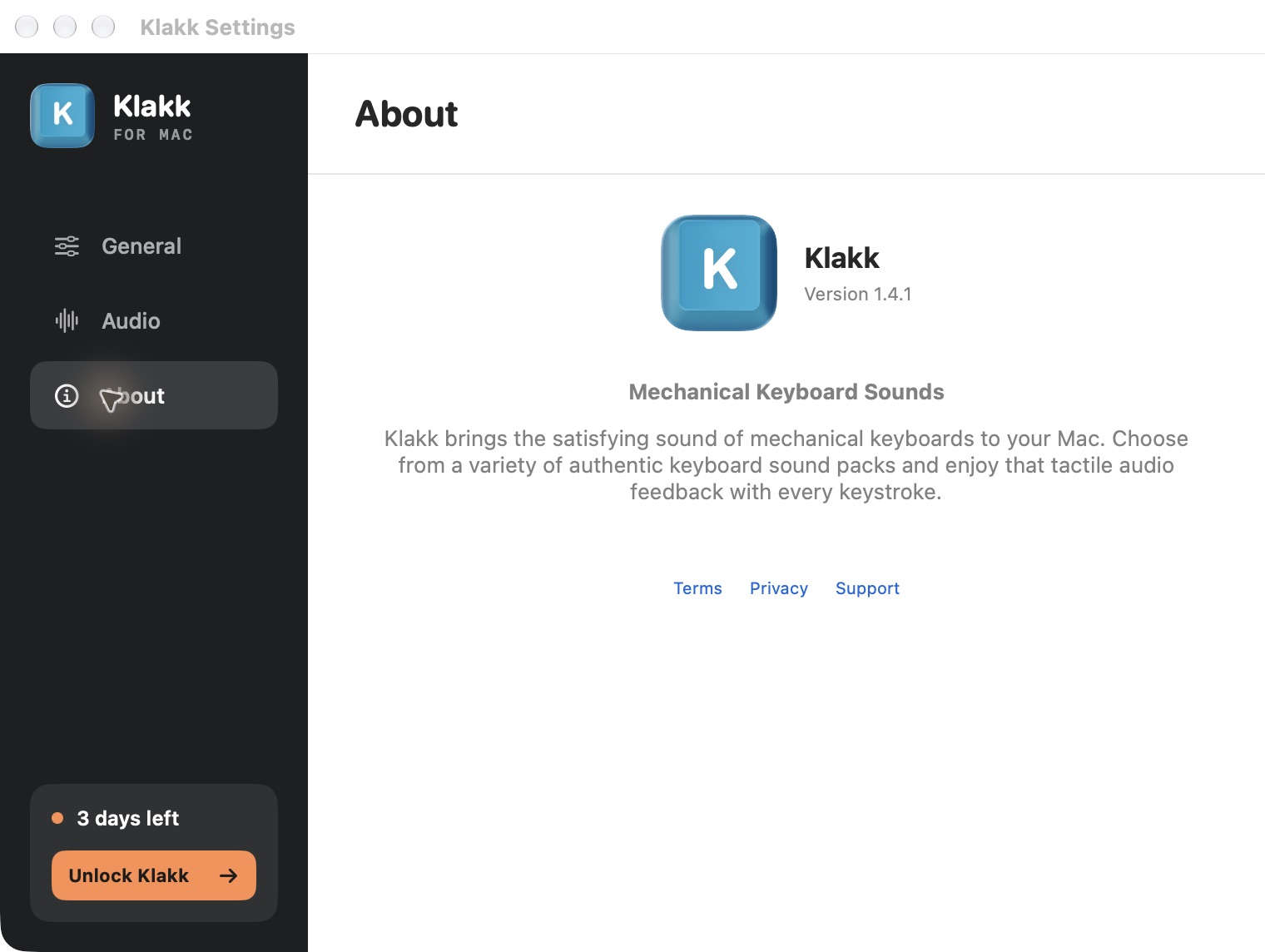
Decide whether Klakk's 14 included sounds and US$4.49 platform license suit you. Compare free use, optional paid packs and a trial before paying.
Choose keyboard-only, mouse-only or combined sound feedback. Compare Klakk, KeyBell and Keyboard Sounds Pro controls, included sounds and purchase conditions.
Compare mechanical typing sounds with spoken characters and words. Check the free Mac and Windows speech options before buying an app for audio feedback.
Compare headphone-only playback, app rules and manual pause before buying a keyboard sound app. See what Klakk and KeyBell actually promise on Mac.
Choose typing sound software by how you control it. Compare Klakk's menu controls, Thock's command interface and MechvibesDX's published headless mode.
Understand Klakk's personal multi-computer rights, separate Mac and Windows purchases, and family-sharing limits before choosing a keyboard sound app.
Choose live typing feedback, captured app audio or effects added after recording. Compare current recording features and purchase limits before paying for keyboard sounds.
Buying a keyboard sound app for responsive audio? Compare what a latency figure measures, what its demo proves and what an installed trial can tell you.
Compare choosing a recording with volume, pitch and equalizer controls. Check a free sound app's EQ and Klakk's included packs before buying a different typing sound.
Choose reactive keyboard clicks, continuous rain or noise, or an app that mixes both. Compare built-in Mac sounds, KeyStream, MechvibesDX and Klakk's trial.
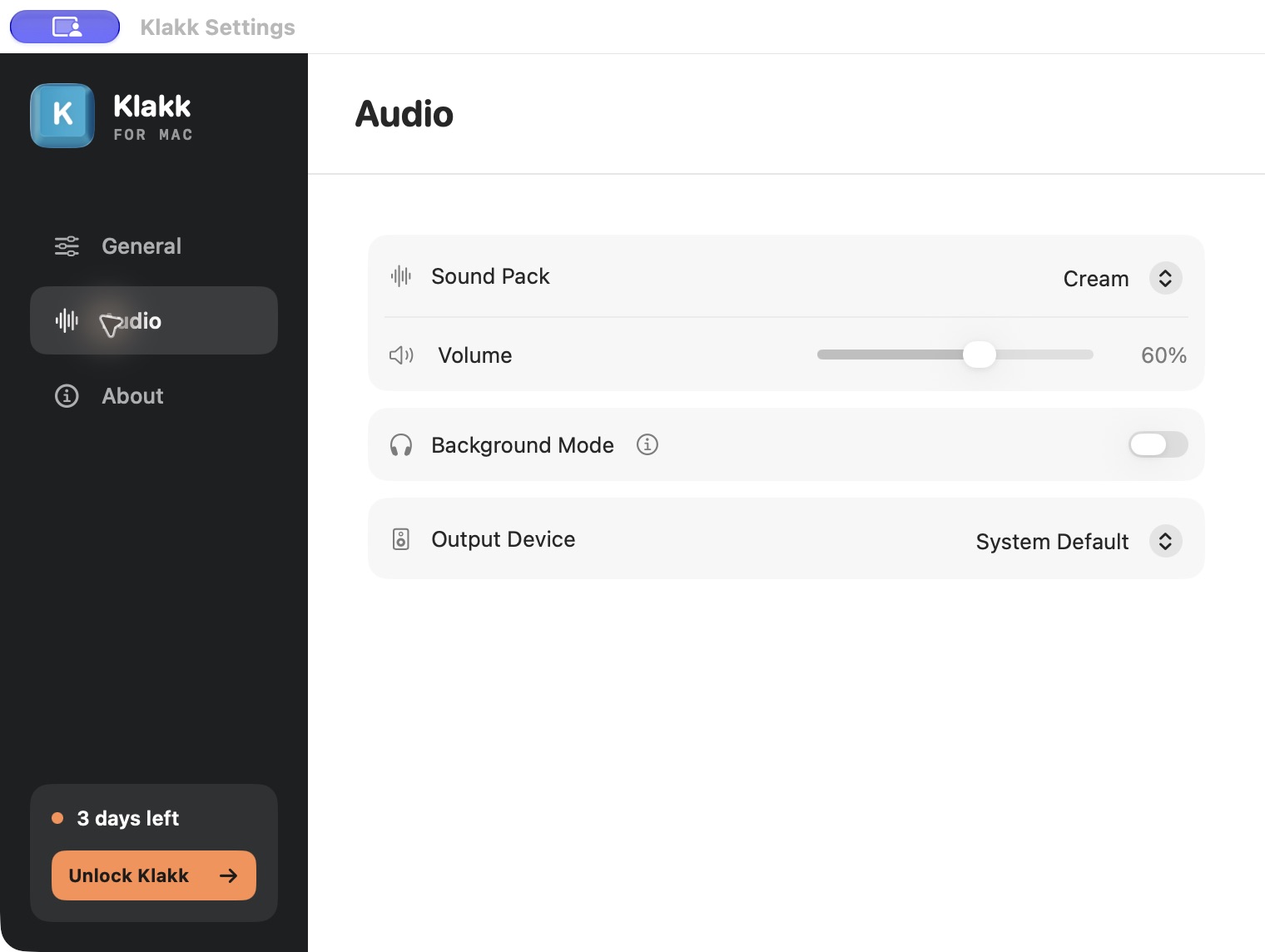
Choose typing sounds, a player's volume control or a Mac app-volume mixer. Compare Klakk's controls with SoundSource's current price, trial and permission requirements.
Choose mechanical keyboard recordings, Caps Lock alerts or upper/lowercase audio and visual cues. Compare Keytones' free daily allowance with Klakk's trial.
Compare musical typing samples, a song that advances with each key, and a virtual instrument. Check Windows and Mac options before paying for keyboard audio.
Choose between mechanical typing audio, permission and completion alerts, or a bundle. Compare existing Claude hooks, a free Mac monitor and keyboard-sound apps.
Choose mechanical typing audio or a tactile trackpad experience. Check compatible hardware, FeelMyMac's demo limits and Klakk's full sound trial before buying.
Want letter-key sounds with quiet modifiers? Compare individual-key control, shortcut suppression and selected-key setup before choosing a typing sound app.
Choose keyboard audio, background key counts or a typing test for speed and accuracy. Compare Kiiwi's published stats with Klakk's fourteen-sound trial.
Choose a desktop typing app, Firefox sound addon or browser audio theme. Compare typing sounds with tab effects and music before changing browsers.
Compare Klakk and Klack by maker, Mac requirements, Windows availability, sound controls and purchase channel. Hear Klakk's 14 packs before its trial.
Compare Klakk's 14 included sounds and three-day trial with MechaKeys' keyboard, mouse and desktop features. Check sound purchases and current releases.
Choose keyboard audio by the application code you can inspect, the download you receive and the sound library. See where Klakk's private source fits.
Compare key-position stereo pan, manual panning and head-tracked spatial audio before buying keyboard sounds. Match the feature to your Mac and headphones.
Keep your editor with a sound utility, or choose a writing app with built-in audio. Compare typewriter mode, document storage and Klakk's mechanical sounds.
Why Klakk's website trial reminder has a close button, limited frequency and a clear purchase action. Read the developer's design choices before trying it.
Choose an animated typing companion, keyboard audio or both. Check Bongo Cat's free game, TapNoise's companion bundle and Klakk's 14 mechanical sounds.
Compare personal keyboard feedback, Discord's built-in Soundboard and Soundpad's voice-chat playback. Check hotkey behavior, trial limits and what your purchase includes.
Set Klakk to launch at login on Mac or Windows. Check the app switch, system startup settings and sound playback, or turn automatic startup off.
Choose browser previews, a portable keyboard sound app or Klakk's per-user Windows installer. Check administrator rights, app files and uninstall steps.
Diagnose muffled or quieter keyboard sounds on Mac when a Bluetooth headset microphone opens. Separate audio quality, output routing, background volume and delay.
Choose an app that imports custom keyboard sounds. Check Mechvibes Classic folders, DX editing and pack formats, and Klakk's 14 included sound packs.
Understand Windows key repeat, Klakk's first-press playback and a short comparison that separates repeated text, repeated sound and a looping sample.
Compare a recorded double click with a sound triggered when you release a key. Check Klakk's press playback, KeyTone and MechvibesDX's versioned behavior.
Check Windows input layouts, Klakk's interface language and its selected sound pack separately. Learn what an automatic language-based sound switch requires.
Check Activity Monitor's Preventing Sleep column, compare pausing sounds with quitting the app, and separate idle sleep from display and wake settings.
Check Windows S mode and Microsoft Store app settings before installing keyboard sounds. Understand Klakk's EXE installer and the browser preview option.
Set keyboard sound volume separately from media on Windows. Understand Klakk's slider, Volume mixer, Background Mode and the limits of fixed-volume playback.
Learn why text from an on-screen keyboard, macro or paste may not trigger keyboard sounds. Check Klakk Windows 1.4.1's input-source limits before choosing an app.
Save keyboard app audio and your microphone on separate OBS tracks, keep a mixed playback track, and check the difference between recording and live audio.
Turn Klakk off from its menu or record a toggle shortcut on Mac and Windows. Understand manual pause, Background Mode and automatic application rules.
Compare fixed keyboard sounds, random samples and pitch variation. See what Klakk offers and which controls KeyTone and Keyboard Sounds Pro document.
Combine a keypress overlay with keyboard audio on Windows. Check Keyviz's visual settings, OBS capture sources and privacy before recording.
Check a Windows keyboard sound download's source, SHA-256, signature and security alert. See what a matching file proves and when to stop before installing.
Check Toggle Keys, Filter Keys, Sticky Keys and on-screen keyboard clicks separately from Klakk sounds, while keeping the input features you need.
Compare free Windows keyboard sound apps and Klakk's trial. Check Battuta, Mechvibes and other options, payment conditions, and x64 or ARM64 downloads.
Mechanical keyboard sounds for Windows 10/11 and macOS. One Windows installer selects ARM64 or x64; Mac users can download directly or use the App Store.
Install Klakk on macOS 14+ with the official DMG, the developer's Homebrew tap or the Mac App Store. Choose your edition and enable Input Monitoring.
Compare clicky, tactile, linear, and silent switches by mechanism and shared-space risk, with clear limits on any universal loudness ranking.
Compare verified click and damped switch mechanisms, run a real nighttime typing check, and route optional Mac typing sound to headphones instead of speakers.
Run a desk-and-call diagnostic, compare verified click and damped switch mechanisms, and test a quieter office setup before routing optional typing sound to headphones.
Need a mechanical keyboard for an apartment, dorm, or rental? Compare quiet switches, MacBook keyboards, headphones, desk mats, and Klakk for private typing sounds.
Compare CHERRY MX Blue, Brown, Red, and Silent Red using manufacturer force, travel, feedback, and damping details plus a practical scenario matrix.
Make a mechanical keyboard quieter with desk mats, softer typing, silent switches, stabilizer fixes, case dampening, and Klakk for private Mac typing sounds.
Check microphone noise and shared computer audio separately in Zoom and Teams on Mac. Use current audio controls and test keyboard sounds before a call.
Set up Klakk’s Mac Input Monitoring permission, check the installed copy, troubleshoot missing sound, and understand input and network data.
Add keyboard sound effects while typing in Mac apps. Preview Klakk, choose a sound pack, adjust volume and check your audio output.

Make Mac keystrokes play a click with Klakk. Learn the difference between a typing sound app, macOS Slow Keys sounds and physical keyboard noise.
Set up Klakk 1.4.1 for a Magic Keyboard on Mac: check input permission, choose your audio output, and try 14 sound packs before buying.
Compare physical keyboard feel with software typing sounds. Preview Klakk for Mac and Windows before choosing hardware or a sound app.
Check local audio, analytics and license requirements before choosing an offline Mac keyboard sound app. Includes Klakk's trial and offline license limits.
Separate physical keyboard noise, headphone playback and captured computer audio. Check OBS sources before recording with keyboard sounds on Mac or Windows.
A practical Mac guide for loud typists: reduce physical keyboard noise, test desk vibration, use lighter typing, and add private sound only after the room is quiet.
Check physical keyboard noise, Mac compatibility and microphone capture before buying. Use Klakk only when you want added sound through your headphones.

Looking for a quiet keyboard for library study? Compare MacBook typing, silent keyboards, headphones, and Klakk for private mechanical sounds on Mac.
Preview keyboard sounds, then compare a familiar task with audio on and off. Learn what Klakk and headphones change before deciding to buy.
Troubleshoot a loud spacebar or Enter key on Mac by separating stabilizer noise, bottom-out force, desk vibration, microphone pickup, and private sound feedback.
Which keyboard switch colors are loudest? Compare blue, brown, red, black, silent red, and low-profile switches for office, calls, and shared rooms.
A practical guide to quiet low-profile keyboard setups for Mac office workers, video calls, shared desks, and private mechanical-style sound with Klakk.
A practical office guide comparing silent mechanical switches, low-profile keyboards and private Mac keyboard sound for workers who need quiet typing.
A Mac setup for night typing, quiet keyboards, roommates and light sleepers: reduce desk noise while keeping private mechanical keyboard feedback.
Try Klakk while drafting and editing on Mac. Check permissions, audio output, shortcuts and sound comfort in Google Docs, Notion or your usual editor.
How to keep typing quiet in coworking spaces, cafes and shared desks while still enjoying private mechanical keyboard sound on your Mac.
Want Cherry MX Blue click sound without making your room louder? Compare real Blue switches, quiet keyboards, headphones, and Klakk on Mac.
Compare a keyboard ASMR video, free browser preview and Mac app. Learn how Klakk 1.4.1 works, when its trial begins and what each purchase covers.
Preview Klakk, then set up keyboard sounds on your MacBook. Website Mac 1.4.1 requirements, input permission, audio output, trial and purchase options.

Check keyboard sound delay, headphones, Input Monitoring and trial terms on your Mac. Includes Klakk's website price and separate App Store license.
Compare noise cancelling headphones, silent keyboards, and Klakk for Mac users who want satisfying mechanical keyboard sounds without making shared spaces louder.
Does keyboard ASMR improve focus? Check what research tested, compare videos with typing apps, and preview 14 Klakk packs before installing on Mac or Windows.
Preview Klakk's 14 keyboard sounds, choose the website or App Store edition, and use the 3-day Mac trial to check your setup before buying.
Add keyboard sounds on your MacBook. Preview 14 packs, choose the website or App Store edition, and set up the Mac website trial and audio output.
Choose a browser preview or Mac typing sound app. See what a simulator changes, plus Klakk 1.4.1 setup, Input Monitoring, trial and purchase terms.
Compare quiet keyboard feel and physical noise with optional typing audio. Check headphone routing, Klakk’s trial and Mac/Windows purchases.
Can typing sounds help ADHD focus? See the research limits, preview 14 Klakk sound packs, and compare sound with silence on Mac or Windows.
Compare Klakk's 14 included packs: Cherry MX, Gateron, Banana Split, Everglide, NovelKeys Cream and more. Listen in your browser, then try them on Mac or Windows.
Set up Klakk 1.4.1 for writing and coding on Mac. Check Input Monitoring, output devices, editing shortcuts, calls, the three-day trial and separate licenses.
Want keyboard sounds at night without waking roommates or light sleepers? Use quiet hardware for the room and Klakk in headphones for private mechanical typing sounds.