A keyboard ASMR video plays a recorded sequence, including when you stop typing. A keyboard sound app plays audio in response to your own key events. A browser preview lets you try that interaction on a webpage before installing an app. Choose by where you want the sound to play and whether you want it to follow your hands.
I’m Levin, the developer of Klakk. This guide was prepared with AI assistance and checked against the current website Mac release and the sources linked below. Klakk is one product example; the comparison does not establish that either kind of audio improves focus or typing performance.
Choose by the sound you want
| Your goal | Suitable starting point |
|---|---|
| Listen to a particular keyboard recording while reading or resting | A prerecorded ASMR video or audio track |
| Hear samples and try sound that follows your keys before installing | The free Klakk browser preview |
| Hear your own typing while using Notes, Mail or another Mac app | An installed keyboard sound app; Klakk’s Mac edition needs Input Monitoring permission |
| Change the switches, key travel or physical noise of a keyboard | Compare actual keyboard hardware; software playback does not change those properties |
A video follows its recording timeline. The browser preview responds while you use the preview page. The installed Klakk app handles key events across Mac apps while its playback is enabled. These are different listening options, so the useful test is whether the option works where you intend to use it.
What the free browser preview covers
Open the interactive sound preview, select a sound pack and type in the preview. This can help you decide whether you like a sound before downloading anything.
The preview runs on the webpage. It does not make typing in other apps produce Klakk sounds. Using it also does not start the installed Mac app’s three-day trial.
If you like typing audio but also want browser-tab effects, menu sounds or music, compare desktop utilities, browser addons and sound themes. Each option covers different events; choosing a browser and choosing a keyboard sound can be separate decisions.
For continuous rain or noise alongside reactive typing, compare keyboard sounds and ambient mixers. The buying question is whether you need one app with both layers or separate controls for the sounds you already use.
The website has its own cookies and analytics, described in the privacy policy. Trying sounds in a browser is not evidence that the website or an installed app has no network communication.
What installing Klakk on Mac adds
The current website Mac edition is Klakk 1.4.1, build 23. It supports macOS 14 or later, on Apple silicon and Intel Macs, and includes 14 sound packs. You can select a pack, adjust playback volume, choose an audio output and pause playback from the app.
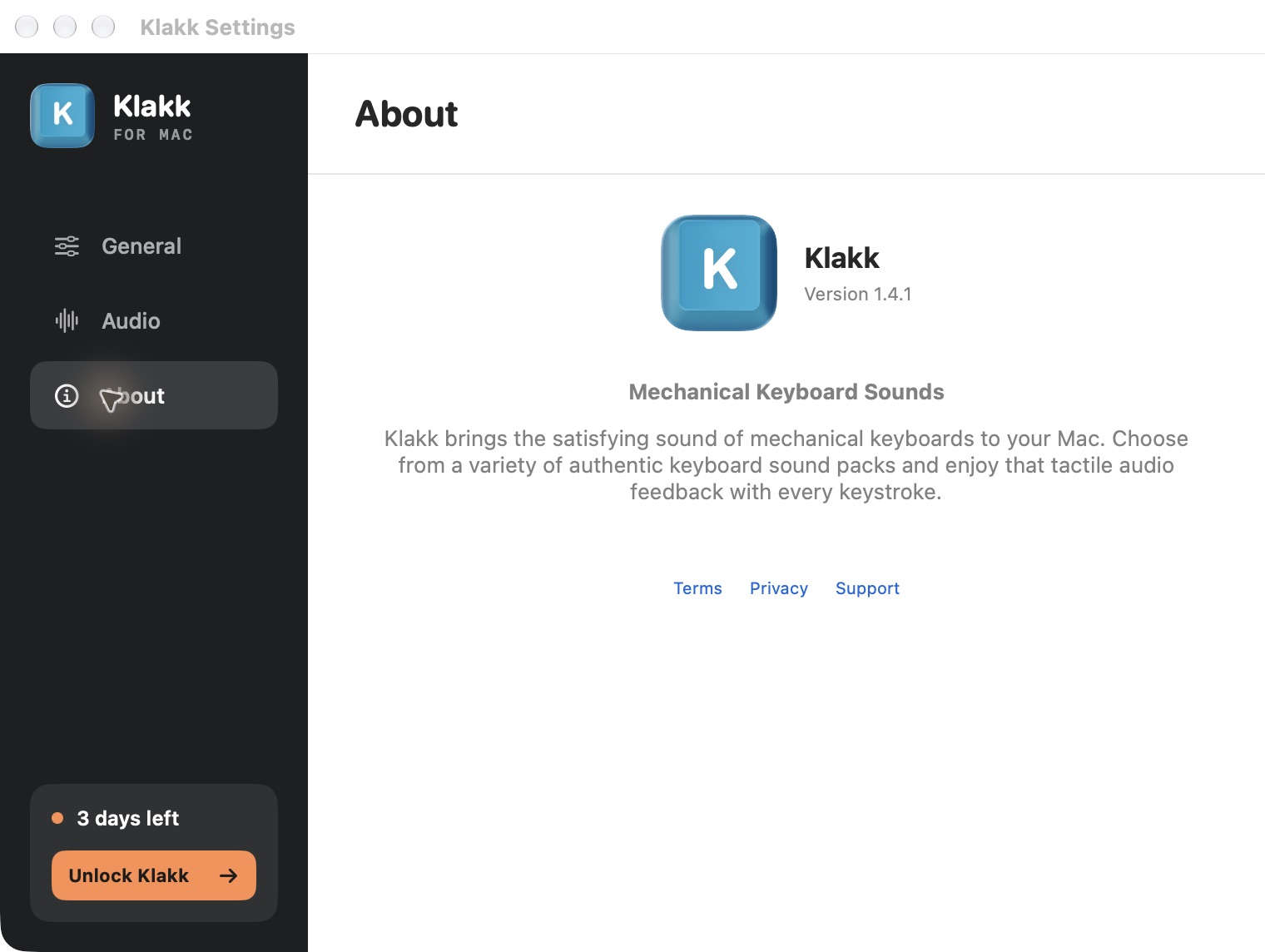
The official 1.4.1 release identifies the website installers. An app’s response to key events does not prove a particular end-to-end latency. Klakk has no verified total-latency benchmark cited here, and software audio leaves the physical keyboard’s sound and feel unchanged.
Trial and purchase options
The website Mac app’s trial lasts three days from its first launch. Downloading the DMG or trying the browser preview does not start that timer. Trial expiry itself does not charge you; continuing with a paid website license requires an explicit purchase through Creem.
| Edition | Purchase and license scope |
|---|---|
| Website Mac edition | US$4.49 once, plus applicable tax, through Creem; a website Mac license |
| Mac App Store edition | Apple’s displayed regional price and purchase terms; a separate App Store license |
| Website Windows edition | US$4.49 once, plus applicable tax; a separate Windows license |
The website Mac trial and version described here apply to that edition. A purchase in one of these channels does not unlock the other two. Check the actual checkout or Apple purchase screen for the final amount. The Mac trial guide covers a practical listening check before you decide.
Permission and privacy differences
Playing an ordinary web video does not require macOS Input Monitoring. The hosting service can still use cookies and collect usage data under its own policy. A browser page can receive input while you interact with that page; that is different from monitoring your typing across Mac apps.
The website Mac edition of Klakk uses Input Monitoring to handle key-down, key-up and modifier events, including physical key codes, locally for playback and controls. Describing this as access to “only timing” would omit part of what it processes. Klakk does not upload the text you type or raw key events. It separately makes usage, settings and license-related communications; the current privacy policy explains those categories.
Apple lets you review and change this access under System Settings → Privacy & Security → Input Monitoring. See Apple’s Input Monitoring guide. Permission requirements vary by app and implementation; this section describes the current website Mac edition of Klakk.
If you prefer to listen without granting this permission, start with a video or the browser preview. If you want Klakk to play while you type in other apps, review the permission and communication details before enabling it.
Check output before a call or recording
In Klakk’s Mac Audio settings, Output Device lets you select an audio output. System Default follows the system output. If you hear nothing, check the selected device, playback volume and whether playback is enabled; the first-sound checklist walks through those steps.
Headphones let you listen through a personal output, but they do not guarantee that a meeting or recording excludes application audio. A microphone can capture speakers, and a tool configured to share or record system sound may include the video or Klakk playback. Pause playback or check the meeting and recorder’s audio settings before sharing. The Zoom and Teams guide explains those separate routes.
Make a personal listening choice
Try the option during the activity you actually intend to do. For a video, notice whether continuous recorded typing suits periods when you are not typing. For an app, notice whether hearing your own key events is pleasant or distracting, and whether the chosen pack and output suit the session.
You can lower the volume, change the pack or pause playback. These are preference checks, not a measured productivity result. This guide does not identify a universally best sound for writers, programmers or students, or establish a focus or health benefit.
Common questions
Can a keyboard ASMR video follow my typing?
A prerecorded video follows its own timeline. For interactive audio, use a browser preview on its page or an installed app that responds to your key events.
Is Klakk free to use?
The browser sound preview is free. The website Mac app has a three-day trial from first launch, then requires a paid license for continued use. The purchase options above distinguish the website and App Store editions.
Will an app make my keyboard quieter?
Software plays audio through the selected output. It does not reduce switch, keycap or case noise, or change the keyboard’s physical feel.
Start with the free browser sound preview to choose a sound. If you want that interaction across Mac apps, use the Mac download and installation guide and then check playback during the first-launch trial.