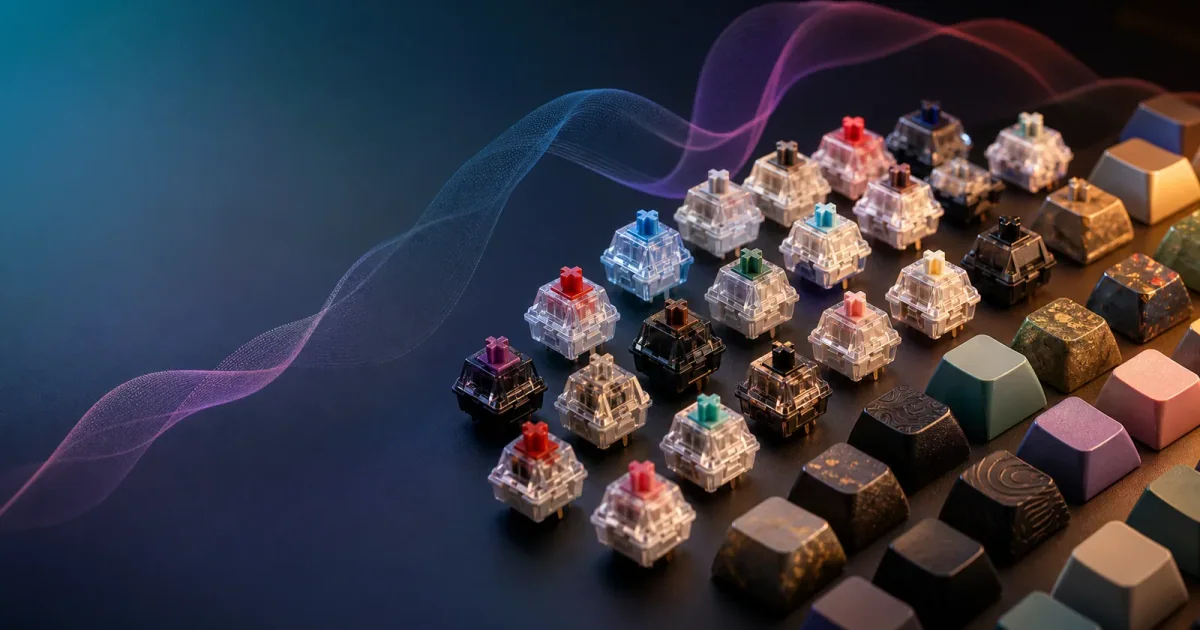
In short: Blue adds tactile and audible click feedback; Brown gives tactile feedback without an intentional click; Red is linear without a click; and Silent Red is linear with integrated damping. Those distinctions can narrow a shortlist, but they cannot rank the sound of completed keyboards. Choose by the physical response you need, then test the actual board in its real room.
The shortest useful CHERRY MX comparison
- MX Blue: choose it only when an intentional click is welcome.
- MX Brown: shortlist it when you want a tactile event without that click mechanism.
- MX Red: shortlist it when you prefer smooth linear travel.
- MX Silent Red: move it onto the list when linear feel and switch-level damping are both priorities.
The color is not a complete purchase decision. Keycaps, stabilizers, case and plate construction, desk coupling, typing force, microphone position, and room acoustics sit outside the switch specification. If the primary question is loudness rather than model data, first understand practical switch-noise ordering.
Official specification matrix
The values below come from CHERRY’s current product pages. The manufacturer uses both operating force in Highlights and actuation force in Properties. This table preserves those exact labels because the pages do not define them as interchangeable or authorize a new combined force term.
| Model | Feedback and click | Operating force | Actuation force | Pre-travel | Total travel | Published durability |
|---|---|---|---|---|---|---|
| MX Blue | Tactile and audible; with click | 60 cN | 50 cN | 2.2 mm | 4.0 mm | More than 50 million keystrokes |
| MX Brown | Tactile; no click | 55 cN | 45 cN | 2.0 mm | 4.0 mm | More than 100 million keystrokes |
| MX Red | Linear; no click | 45 cN | 45 cN | 2.0 mm | 4.0 mm | More than 100 million keystrokes |
| MX Silent Red | Linear; integrated patented damping | 45 cN | 45 cN | 1.9 mm | 3.7 mm | More than 50 million keystrokes |
Do not subtract one force column from the other, average them, or rename either one “pressure point.” The source pages expose two labels in two specification areas. Even where the values match for Red and Silent Red, the labels remain distinct.
Travel numbers also need restraint. They describe switch movement, not typing speed, comfort, accuracy, or room noise. A small difference in published travel does not establish that one model is universally faster or better. Use the matrix to identify candidates worth trying.
Blue versus Brown versus Red in paired decisions
Blue versus Brown: audible click or tactile feedback without click?
Both are tactile, so the choice is not simply “feedback versus no feedback.” Blue’s mechanism adds an audible click, while Brown’s official page says no click. Select Blue when that acoustic event is intentionally part of a private setup. Select Brown when a tactile event matters but an intentional click is inappropriate.
Brown still does not guarantee a quiet keyboard. Bottom-out, key return, large-key stabilizers, the case, and the desk remain. In a shared office, “no click” removes one source; it does not certify the whole board.
Brown versus Red: tactile event or uninterrupted linear travel?
Brown provides tactile switching characteristics. Red provides linear switching characteristics. This is a feel decision before it is a sound decision: do you want a noticeable event during the press, or a smooth path without that tactile event?
The official pages list Brown at 55 cN operating force and 45 cN actuation force, while Red lists 45 cN for both source labels. Those figures help describe the products but do not predict personal fatigue, error rate, or preference. A switch tester can reveal the mechanism; a returnable keyboard trial reveals the board.
Blue versus Red: deliberate acoustic feedback or linear no-click travel?
This pair has the clearest mechanism difference. Blue deliberately adds click feedback. Red does not. If a coworker, microphone, venue rule, or household makes intentional clicking unacceptable, Red stays in the test set and Blue leaves it.
That still is not a universal “Red is quiet” claim. A Red board can transmit substantial impact when typed firmly or built around a resonant case. Compare finished products under the same task, surface, distance, and microphone conditions.
When Silent Red changes the shortlist
Silent Red is not merely Red with a different marketing adjective. CHERRY documents a two-component stem with integrated patented noise-reduction technology and says operating noise is minimized by damping. Its page also publishes different travel values from standard Red: 1.9 mm pre-travel and 3.7 mm total travel.
Move Silent Red into the shortlist when all three statements are true:
- You want linear rather than tactile or clicky travel.
- Switch-level damping is relevant to the room requirement.
- You are willing to test the completed keyboard rather than treating “Silent” as a guarantee.
Keep standard Red in the comparison when you want linear travel but do not yet know whether switch damping is necessary. Keep Brown when tactile response is important. Exclude Blue when an intentional click is disqualifying.
After selecting the mechanism, listen to ordinary keys and stabilized keys separately. If the spacebar or case remains the problem, reduce physical mechanical-keyboard noise rather than expecting a switch swap to correct every component.
Scenario matrix for office, calls, late night, and a private desk
| Scenario | First specification question | Conditional shortlist | Required real-world check |
|---|---|---|---|
| Open office | Is an intentional click acceptable? | If no, exclude Blue; test Brown, Red, or Silent Red by desired feel | Nearby listener, large keys, and desk transmission |
| Frequent calls | Does the normal microphone capture repeated keys? | Begin with no-click choices; add damping when linear feel fits | Same passage through the actual call setup |
| Late-night shared home | Is any deliberate click unacceptable? | Exclude Blue; compare the quietest available completed candidates | Same time, room, distance, door, and desk |
| Private desk | Is audible click feedback part of the goal? | Blue can remain; Brown, Red, and Silent Red remain feel alternatives | Personal preference over a real work session |
These are conditional fits, not winners. A private-room typist may prefer Blue’s explicit feedback. A shared-office typist may prefer Brown’s tactile response but discover that one completed Brown board has a distracting spacebar. A linear typist may compare Red and Silent Red and choose only after testing the case and desk. The scenario decides which evidence matters.
For office buyers who need a complete workflow beyond switches, choose a complete quiet office setup. The office decision includes the listener, surface, and microphone rather than stopping at this specification table.
Separate switch hardware from generated sound
A different switch changes physical travel, force, and feedback. Generated audio changes none of those things. If you need a tactile event, different resistance, or damping in the switch, buy and test hardware. If the current keyboard already feels right and passes the room check, the missing element may only be sound.
Want to compare typing sound styles before buying hardware? Try Klakk on Mac through headphones. It generates synchronized typing audio as you type through the Mac audio output, while headphones can keep that generated layer private. Klakk does not reproduce CHERRY actuation or reduce or remove physical keyboard noise from switches, keycaps, stabilizers, the case, desk, microphone, or room.
Use the hardware-versus-simulated-sound decision guide if those goals are still mixed. Mac users can also explore keyboard sound apps for Mac after the physical setup is quiet enough. Specifications should lead to a shortlist; the completed keyboard and real scenario should make the final decision.
FAQ
Is CHERRY MX Blue always a bad office choice?
No, but it is risky in shared spaces because it adds a deliberate click to every keypress. If nearby coworkers, call microphones, or late-night listeners are part of the scenario, exclude Blue before comparing subtler switch differences. In a private room, preference can carry more weight.
Is Silent Red quieter than Red in every keyboard?
Not automatically. Silent Red adds switch-level damping, but the finished keyboard still includes keycaps, stabilizers, the case, the mounting style, the desk, and the typist. Treat Silent Red as a better candidate for a no-click linear shortlist, then test the actual keyboard in the real environment.